各种实用小工具代码
2021-06-05
代码 / 侧栏小工具 / 办公教程 / 数据中心
各种实用小工具代码
搜索框代码
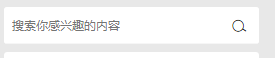
为了小工具侧栏显示效果如下:

<div class="jinsom-search-header">

<input placeholder="搜索你感兴趣的内容" value="" id="jinsom-search-val">

<span class="opacity">搜索</span>

</div>

<script type="text/javascript">

//提交搜索

$(".jinsom-search-header span").click(function(){

var search_val =$(".jinsom-search-header input").val();

if(search_val==''){

layer.msg('搜索的内容不能为空!');

return false;

}

window.location.href=jinsom.home_url+'/?s='+search_val;

});

// 回车搜索

$(".jinsom-search-header input").keypress(function(e) {

if(e.which == 13) {

var search_val =$(".jinsom-search-header input").val();

if(search_val==''){

layer.msg('搜索的内容不能为空!');

return false;

}

window.location.href=jinsom.home_url+'/?s='+search_val;

}

});

</script>
上面的代码:
可以把:搜索,修改成图标:<i class=”jinsom-icon jinsom-sousuo1″></i>
来源:https://q.jinsom.cn/iconfont
于是出现效果如下:
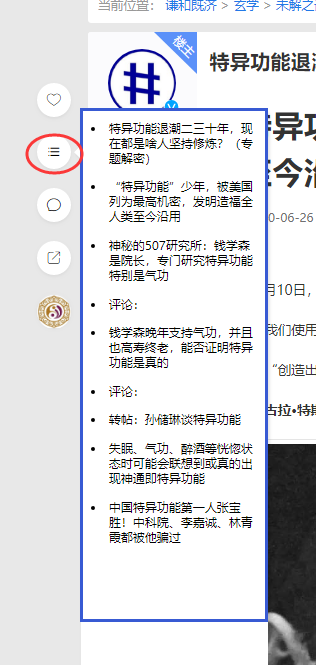
调整侧栏文章目录长度代码
调整设置位置:
路径:/wp-admin/admin.php?page=jinsom#tab=33
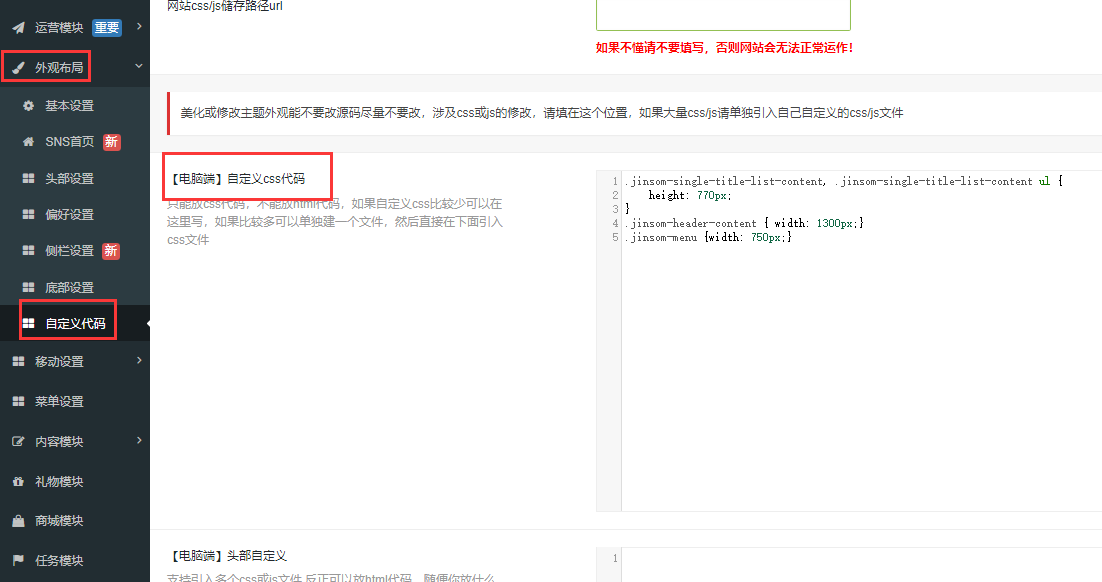
源代码:
格式:Css
.jinsom-single-title-list-content, .jinsom-single-title-list-content ul {
    height: 770px;
}
.jinsom-header-content { width: 1300px;}
.jinsom-menu {width: 750px;}
其中:
height: 770px;
就是调整长度的